
The bear alpha update log tracks the patches, limited-time events, rewards, and balance changes shaping Roblox BEAR. Each release can affect practical priorities: a candy-event update may change which maps offer the best farming routes, while character or item balance patches can shift which abilities remain worth leveling. For example, comparing a limited-time reward with a permanent character upgrade helps players decide whether to spend limited-time currency on a short boost or save it for a lasting progression item. Reviewing these changes before farming or a new quest makes each update easier to exploit without relying on outdated strategies.
Reading the Update Log as a Timeline
The bear alpha update log is best understood as a timeline rather than a single patch note. BEAR regularly rotates seasonal content while also adjusting characters, items, progression, and the game’s rewards economy. As of October 31, 2026, community sources identify major milestones including The Hollow 2026, Beary Scary Part 2, the game’s 7th Anniversary, and a Deluxe line of content.
These names come from player-maintained documentation and community reporting rather than a single official wiki, so availability can change as events rotate or patches receive corrections. The most useful approach is to separate permanent system changes from temporary event content. A revised map may affect long-term strategy, while a Halloween reward disappears when the event closes.
| Update or content milestone | Confirmed focus | Player relevance | Status as of October 31, 2026 |
|---|---|---|---|
| The Hollow 2026 | Seasonal Halloween content | Adds event objectives, rewards, and a Halloween atmosphere | Community-documented milestone |
| Beary Scary Part 2 | Follow-up Halloween event content | Rewards players returning for another themed activity cycle | Community-documented milestone |
| 7th Anniversary | Anniversary celebration content | Marks seven years of BEAR and may include commemorative rewards | Community-documented milestone |
| Deluxe line | Premium or enhanced cosmetic content | Expands the collection of available skin variants | Community-documented milestone |
| Weekly patches | Incremental fixes and tuning | Changes priorities more often than seasonal events do | Ongoing update pattern |
What the 2026 update history indicates
The bear alpha update 2026 timeline suggests that BEAR’s content structure now includes several overlapping seasonal cycles. The Hollow and Beary Scary Part 2 provide separate Halloween chapters, while the anniversary and Deluxe additions extend the celebration beyond a single limited-time event. This breadth gives returning players more reasons to log in, although it also makes event-specific advice expire quickly.
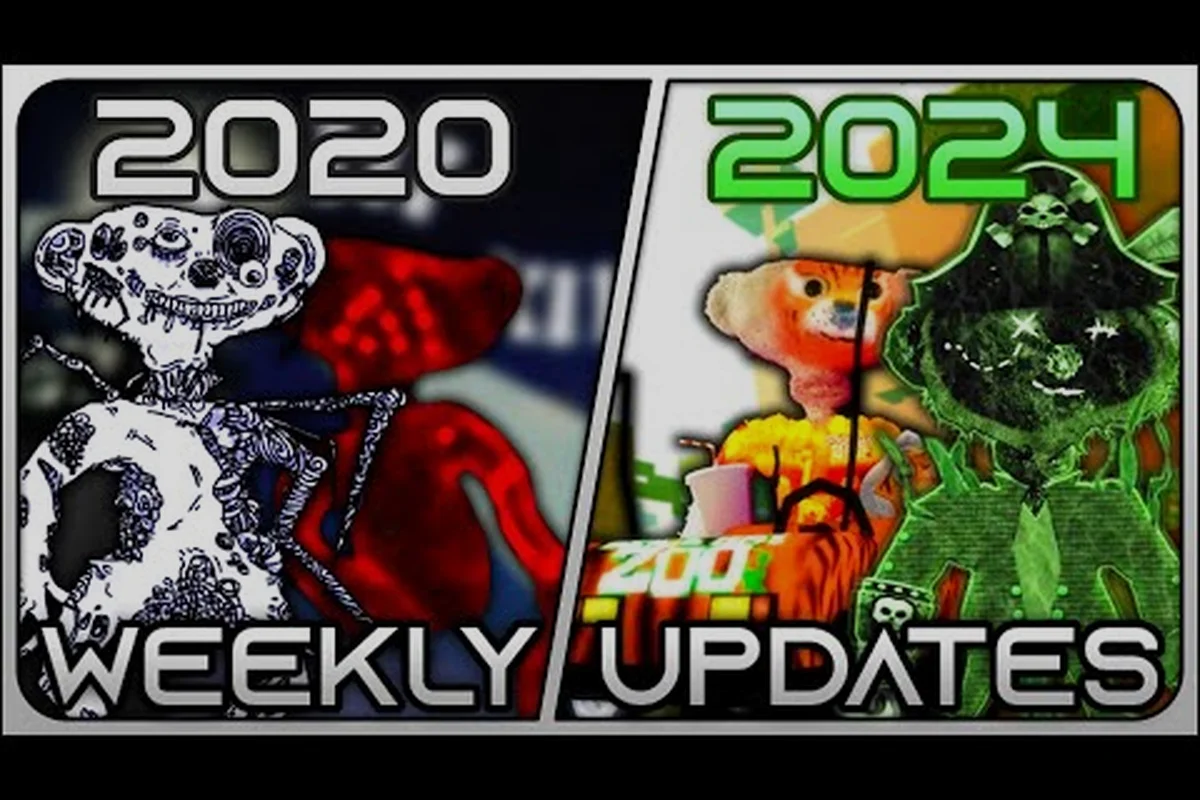
Community videos such as Roblox BEAR (Alpha): The History of Weekly Updates offer a useful visual timeline. They should be treated as player-reported records rather than official release notes, but they help establish the order in which major events appeared and which rewards players discussed.
Separating Confirmed Changes From Assumptions
A complete bear alpha new update record should separate confirmed changes from player assumptions. Dates, exact reward counts, and map layouts need confirmation because community videos may use broad labels or describe different account states. The safest way to interpret an update entry is to note its purpose, affected activities, duration, and any balance implications.
| Update category | What to verify | Why it matters | Best source priority |
|---|---|---|---|
| Character balance | Buffs, nerfs, health, damage, or ability timing | Changes combat efficiency and map selections | In-game patch notes first |
| Event rewards | Availability, eligibility, and claim window | Prevents missed limited-time progress | In-game event screen |
| Map changes | Spawns, routes, obstacles, and visual effects | Alters routes and safe strategies | Direct playtesting |
| Rewards economy | Candy, currency, and premium items | Influences the best farming target | Current event interface |
| Seasonal content | Dates, themes, and returning rewards | Clarifies the current priority | Developer announcement |
Halloween and Christmas Update Tracking
Seasonal releases are the clearest checkpoints in the bear alpha update log. The Halloween material centers on The Hollow 2026 and Beary Scary Part 2, while community reports also place a Christmas event within the wider update history. Their exact content may rotate, but the release pattern is clear: BEAR regularly turns familiar systems into event-specific challenges.
The bear alpha halloween update 2026 reportedly introduced the year’s Hollow event, and Beary Scary Part 2 followed as another themed chapter. The available material does not establish every reward value or challenge condition, so exact economic calculations would be unreliable. It does support tracking the event goals, checking the reward calendar, and comparing the Halloween route with older seasonal maps.
Halloween milestones
Halloween content has two distinct community-documented labels rather than one undifferentiated seasonal patch. The distinction matters because players often return during a specific event installment, search for its reward collection, or follow a guide for a limited route. The following table separates what is reasonably known from details that still require in-game confirmation.
| Milestone | Reported theme or content | Useful information to check in game |
|---|---|---|
| The Hollow 2026 | Principal 2026 Halloween update | Event duration, reward names, and map conditions |
| Beary Scary Part 2 | Later Halloween installment | Completion goals and whether rewards stack |
| 7th Anniversary | Celebratory milestone during the season | Commemorative rewards and availability period |
| Weekly Halloween patches | Adjustments during the event | Enemy behavior, reward rates, and map fixes |
Community guidance on maximizing candy also points to a practical lesson from the Halloween period: farming decisions should be based on current event mechanics rather than copied from an older guide. A player-created Halloween candy-farming video can illustrate community methods, although the numbers require confirmation on the account and patch being used.
Christmas releases and rotation dates
The bear alpha christmas update represents another expected seasonal checkpoint. Because BEAR cycles through holiday content, players should distinguish a permanent reward from a rotating item, a redeemable code, and a one-time event milestone. These categories look similar in casual summaries but require different actions.
A dependable Christmas checklist includes the event countdown, reward-page icon, map selector, and account inventory. If a reward does not appear after the event timer expires, it may have been rotating rather than permanently removed. Saving a screenshot of the reward screen and noting the remaining event time can prevent confusion when the server moves into its next rotation.
Event comparison
Seasonal events reward different kinds of preparation. Halloween tends to emphasize repeated objectives and themed rewards, Christmas may center on gift-style progression, and anniversary content may deliver commemorative items. Because the public update trail is community-maintained, the comparison below focuses on reliable preparation categories rather than unverified reward values.
| Feature | Halloween content | Christmas content | Anniversary content |
|---|---|---|---|
| Core goal | Complete themed event challenges | Progress through holiday rewards | Celebrate a milestone |
| Likely reward focus | Seasonal and spooky items | Gifts and holiday-themed items | Commemorative items |
| Best preparation | Check objectives and event maps | Review the event timer and inventory | Review anniversary notices |
| Main uncertainty | Reward rates and stacking rules | Which rewards rotate | Exact reward availability |
| Update-log priority | High during active event | High during active event | Medium unless claiming rewards |
Maps, Rewards, and Weekly Patch Changes
Not every entry in the bear alpha update log concerns a seasonal event. Weekly changes can adjust routes, encounters, item behavior, or rewards while preserving the core structure of BEAR. These small patches often have a greater effect on daily efficiency than a larger event headline, particularly when a map becomes faster, safer, or less rewarding to farm.
Because exact map layouts and drop rates may vary by version, players should verify changes directly in the current game. The BEAR (Alpha) 100M+ visits DevForum discussion provides useful context about the game’s scale and discoverability, but it is not a balance sheet and should not be treated as one.
Map changes to track
Map updates deserve a separate log because players often remember routes more clearly than patch numbers. Record whether a route is still open, whether obstacles block line of sight, and whether the reward objective moved. For longer-term planning, our BEAR map memory and ranking reference can help organize maps that deserve repeat testing after a revision.
| Map-change signal | Possible player impact | Recommended verification |
|---|---|---|
| New route or shortcut | Lower travel time | Compare one clean run before and after |
| Spawn relocation | Easier or harder enemy access | Record spawn timing across several attempts |
| Obstacle change | New hiding or line-of-sight conditions | Test the route from both directions |
| Objective relocation | Different reward path | Follow the new marker on a fresh account |
| Visual event dressing | Cosmetic change with possible obstruction | Check movement and interaction angles |
Reward and economy changes
Reward changes deserve explicit attention because seasonal currency can influence which activity is worth repeating. Track Candy, event items, and other currencies separately. A map can remain popular even after its reward changes simply because players already know its route, which makes completion speed—not only the nominal payout—the deciding factor.
| Change to monitor | Why players care | Best record |
|---|---|---|
| Candy gain | Influences event farming priorities | Time per session and route |
| Event currency | Changes completion order | Tokens required per objective |
| Reward reroll | Alters collection planning | Available options before and after |
| Premium reward | Changes collection value | Exact unlock condition |
| Rotation expiry | Creates time pressure | End time displayed in game |
Interpreting balance adjustments
Balance reports often circulate faster than full patch notes. For example, a community clip may show a character performing unusually well or a boss challenge becoming easier, but that observation may reflect unusual gear, co-op play, or a temporary testing condition. A credible log should separate the observation from the confirmed patch adjustment and avoid presenting player estimates as exact values.
The bear alpha latest update should therefore be evaluated across three layers: the visible content, the practical gameplay effect, and the proof behind each claim. That approach helps players distinguish a new event from a genuine balance adjustment and avoids making permanent strategies out of temporary patch behavior.
Latest Patch and Balance Impact
Weekly maintenance can revise more than event objectives. Character capabilities, equipment behavior, progression requirements, and map obstacles may all receive small corrections. The bear alpha deluxe update adds another layer by expanding cosmetic content, yet players still need to know whether a Deluxe item changes combat performance or only appearance. The available community references identify the line as content, but do not establish universal gameplay bonuses.
For a current overview of patch reactions and what players noticed, compare the current notes with our BEAR update reaction overview. Reaction coverage is useful for spotting an early trend, but it should not replace the in-game patch display when exact values matter.
Character and ability adjustments
A character adjustment matters most when it changes the relationship between risk and reward. If an ability becomes safer or more reliable, its value may rise even if the skill itself does not change. If the same ability requires more setup, old training routes can become inefficient.
| Balance area | What to record | Reason it affects play |
|---|---|---|
| Damage output | Before-and-after testing | Alters time needed for encounters |
| Survival | Stamina, health, or defensive timing | Changes safe farming routes |
| Ability cooldown | Real usage frequency | Influences skill rotation |
| Reward access | Map or objective requirement | Changes which areas remain relevant |
| Co-op effect | Solo-versus-team performance | Affects group strategy |
Item and cosmetic separation
Players often group skins, tools, and event rewards together, yet the distinction is important. A cosmetic can be desirable without changing progression, while a functional item can quietly alter efficiency. The BEAR Deluxe skin reference is useful for separating appearance from practical value once the relevant collection page is checked.
| Item type | Main value | Should it change strategy? |
|---|---|---|
| Classic cosmetic | Collection and visual identity | Usually no |
| Event skin | Seasonal completion and appearance | Only if its acquisition is demanding |
| Deluxe cosmetic | Premium visual option | Usually no, unless explicitly stated |
| Gameplay item | Functional efficiency | Yes |
| Event currency or token | Progress toward a reward | Yes, during active progression |
The Same Review Template for Every Patch
Reviewing a patch becomes faster when each release receives the same checklist. Start with combat, then maps, then economy, and finish with event timing. This order catches changes that affect the foundation of a run before focusing on limited-time content.
-
Record the in-game update date and the account or platform where the change appeared.
-
Compare one familiar route with the previous version before adopting a new farm.
-
Note confirmed numerical adjustments separately from community estimates.
-
Check whether the change applies to solo play, co-op play, or both.
-
Save event deadlines before optimizing routes around temporary objectives.
-
Test the Deluxe line and event items separately from functional combat equipment.
How to Track Future Bear Alpha Changes
A usable tracker should be chronological, brief, and focused on changes that affect decisions. Search results and social posts can be noisy, so the bear alpha update log is most valuable when each entry answers four questions: what changed, who it affects, how long it lasts, and what evidence supports the report.
Future seasonal plans are more difficult to verify than completed patches. The Christmas and anniversary references provide historical context, but only in-game notices should establish future dates. Keep confirmed announcements separate from predictions, especially around Halloween rewards, event maps, and rotating currencies.
Build a reliable tracking record
A spreadsheet or note should preserve the exact release label, in-game date, affected feature, duration, evidence source, and measured player impact, then append a follow-up date when the status changes. For example, record a Halloween event as “timed” if its event timer expires, rather than assuming its duration from a community post. If a later Bear Alpha weekly patch changes the same reward or character, create a separate entry instead of overwriting the earlier observation. Keeping these records distinct makes temporary balance experiments easier to compare against permanent guide recommendations without turning an unverified report into established guidance.
| Field | Example wording | Verification rule |
|---|---|---|
| Release label | Halloween or weekly patch | Copy the in-game label when available |
| Date | October 2026 | Use the displayed date |
| Content type | Event, map, reward, or balance | Select one primary category |
| Affected feature | Named character, item, or map | Avoid generic descriptions |
| Duration | Permanent, timed, or unclear | Check the event timer |
| Evidence | In-game note or player test | Mark community reports clearly |
| Player impact | Efficiency, strategy, or collection | Describe the practical effect |
Separate facts from community reports
Verified game information should remain separate from player interpretation. The available Halloween and Deluxe information comes from community sources, while the DevForum discussion provides verified platform context. That distinction matters because a community video may document the update accurately but still include personal routing advice or incomplete reward values.
Use community reports to discover what changed, then confirm important details through direct play before recording them in the bear alpha update log. For example, a Halloween or Deluxe community video can flag a changed enemy encounter, an altered map route, or a disputed reward total, but the player must reproduce that route and compare the resulting inventory to verify the claim. This prevents outdated advice from spreading through the bear alpha update log when a patch modifies enemy behavior, navigation paths, or reward acquisition, and it also distinguishes confirmed patch behavior from interpretation that may no longer apply.
Prioritize changes that affect decisions
Not every visual change deserves equal attention. Start with adjustments that alter completion time, survival, reward value, or access to content. Cosmetic additions remain relevant for collectors, but they should not displace balance and event information in a general tracking document.
| Priority | Update type | Reason to check first |
|---|---|---|
| 1 | Combat or survival tuning | Can change route safety and clear time |
| 2 | Reward or currency changes | Can alter event farming priorities |
| 3 | Map revisions | Can shorten or disrupt familiar runs |
| 4 | Event start or end dates | Creates immediate collection deadlines |
| 5 | Cosmetic additions | Important for collection but rarely strategic |
| 6 | Visual decorations | Low impact outside specific events |
Handling the First Session After a Patch
The first session should confirm access, rewards, and the most obvious route change. The second can test efficiency against a baseline. Later sessions can investigate unusual claims, especially those about character power or exact drop rates. This staged approach prevents a single exciting video from leading to a premature balance verdict.
Players should also watch for maintenance notices. Downtime or temporary changes can make an update appear incomplete when the normal interface is only partly available. For a deeper look at the effects of a fresh release, our BEAR update analysis guide provides a useful framework for separating confirmed changes from early impressions.
Bear Alpha Update History and Practical Takeaways
The clearest documented 2026 milestones are The Hollow 2026, Beary Scary Part 2, the 7th Anniversary, and the Deluxe line. They show an active release history built around seasonal events, recurring weekly adjustments, and new cosmetic content. Exact reward totals and balance percentages were not available in the verified source set, so this log avoids presenting uncertain figures as facts.
The best long-term takeaway is to track changes by impact. Event deadlines and map revisions deserve immediate attention, while character and item adjustments require a controlled comparison. In the bear alpha update log, separating temporary content from permanent progression creates a record that remains useful even after the next weekly patch arrives.
| Track | Main takeaway | Best use |
|---|---|---|
| Seasonal events | Halloween content arrived in multiple recognizable installments | Plan around current objectives and deadlines |
| Christmas rotation | Holiday content belongs in the broader seasonal timeline | Check gift rewards and timers in game |
| Deluxe line | New cosmetics expanded the collection | Track appearance separately from combat value |
| Weekly patches | Small changes can affect farming and routes | Test against a familiar baseline |
| Community reporting | Player videos help uncover changes but need confirmation | Use as a lead, then verify in game |
Frequently Asked Questions
What is the latest confirmed BEAR update?
The latest confirmed milestones available as of October 31, 2026, include The Hollow 2026, Beary Scary Part 2, the 7th Anniversary, and the Deluxe line. These names come from community-maintained update reporting, so the in-game notice remains the best source for exact dates, rewards, and balance values. A later weekly patch may add smaller corrections not reflected in the summary.
Did BEAR receive a Halloween update in 2026?
Yes. The bear alpha halloween update 2026 is associated with The Hollow and its follow-up, Beary Scary Part 2. Community sources also describe Halloween rewards and farming methods. Exact candy rates and reward values should be checked inside the event because they may depend on current settings, completion speed, and later balance patches.
Is the BEAR Deluxe update only cosmetic?
The available references identify the Deluxe line primarily as added content for the game’s collection. Unless an official in-game description explicitly states a gameplay benefit, players should treat those items as cosmetic and evaluate functional items separately. This prevents visual rarity from being confused with a real combat advantage.
Where can players find Christmas update details?
Christmas details should be confirmed through the in-game event notice, reward page, and countdown. The bear alpha christmas update may rotate rewards or activities, so players should check the expiration timer before assuming a missing item is permanent. Community histories are useful for identifying the event’s existence and theme, but they may not reflect the current rotation.
How should players handle unverified update claims?
Treat player videos and forum discussion as leads, then test the claim in the game. Record the account state, event timing, map, and repeatable results before calling an adjustment a confirmed balance change. This method keeps the update log accurate because it separates direct observations from estimates, especially when a character performs differently because of gear or co-op conditions.