
A useful bear alpha cheat sheet saves time during tense rounds, when you need controls, objectives, and escape tactics without pausing to search. This quick reference condenses the information players use most often, with careful notes on what is confirmed and what comes from community reports.
Bear Alpha Cheat Sheet: First-Priority Checks
The most important part of any bear alpha cheat sheet is knowing what deserves attention before danger arrives. Start with the mission prompt, the location of usable items, and the path toward the report. Everything else becomes secondary when the Bear closes the distance.
This bear alpha reference guide follows a simple order: confirm the current task, gather the required evidence, avoid unnecessary light exposure, and preserve an exit route. That order works because each decision supports the next one. A player who knows the objective can move deliberately instead of wandering through the map while reacting to distant sounds.
The 30-Second Match Checklist
Before starting a round, check these items in order:
- Read the current objective in the interface.
- Identify the nearest required evidence or item.
- Locate a doorway, corridor, or landmark that can break line of sight.
- Keep the flashlight available without leaving it on constantly.
- Note whether the Bear is pursuing you or patrolling elsewhere.
- Plan where to deliver the report after collecting the objective.
- Use headphones or sound cues to track movement nearby.
- Avoid spending the full match gathering evidence that does not match the active task.
The checklist is especially useful in a bear alpha wiki guide because the game’s objective changes can alter the route dramatically. A route that works for one evidence task may expose you to the wrong section of the map during another. Confirming the prompt before moving prevents wasted searches and keeps the escape plan connected to the actual objective.
Quick Priority Guide
| Situation | Immediate priority | Avoid |
|---|---|---|
| Bear is nearby | Break sight and move laterally | Running directly down an open corridor |
| Evidence is exposed | Grab it only when the route is clear | Stopping beside a noisy pickup |
| Flashlight is on | Turn it off when the Bear is near | Using light to scan constantly |
| Objective is complete | Head toward the report point | Wandering to collect extras |
| Bear has lost you | Change direction and hide | Returning to the same position |
| Time is running short | Follow the shortest known route | Searching for a hidden alternative |
This bear alpha community guide treats visual information as useful but not always dependable. Player reports emphasize the same survival pattern: keep movement irregular, avoid predictable corners, and use your flashlight only when understanding the immediate area is worth the risk. That approach is safer than assuming every shadow is a hiding place or every sound signals the Bear’s exact position.
The beginner guide to BEAR Alpha can help with the basics before you memorize this checklist. In particular, learning the difference between your role, the active objective, and the report sequence makes the quick reference much easier to apply during a match.
Bear Alpha Controls and Essential Information
Controls should be treated as a menu of tactical options rather than a set of commands to press constantly. The useful question is not simply “What does this button do?” but “When is this action worth the noise, light, or time?” That distinction separates a successful escape from a scramble that gives the Bear more information.
Because exact interface labels can change with platform updates, compare the function before assuming a fixed binding. Community material describes movement, sprinting, crouching, interacting, using the flashlight, and managing the report as the core control categories. Treat that as a practical reference rather than a binding-by-binding guarantee.
Control Functions by Situation
| Control function | Best use | Risk | Practical adjustment |
|---|---|---|---|
| Move | Reposition around cover | Footstep noise | Change speed near the Bear |
| Sprint | Cross exposed ground quickly | Loud and easy to track | Save for a confirmed escape |
| Crouch | Inspect or hide more quietly | Slower travel | Use when the Bear is searching |
| Interact | Collect evidence or operate a device | Time spent standing still | Begin only after checking sightlines |
| Flashlight | Check a nearby path | May reveal your position | Use briefly and only when needed |
| Report | Complete the current objective | Can attract attention | Leave once the task is confirmed |
A practical bear alpha reference guide should note that no single control creates a guaranteed escape. Movement without a route leads to corners; the flashlight without timing exposes you; and sprinting without checking line of sight can carry you directly toward the Bear. Combine controls according to the situation rather than pressing them in a fixed sequence.
Flashlight Discipline
The flashlight is most valuable when it solves a nearby problem, such as confirming a door, reading a clue, or checking a short corridor. It is least valuable when you scan the entire map out of uncertainty. Short, targeted light checks reduce the time you remain visible, although some players report that the Bear’s attention behavior may vary by version or difficulty.
Community footage, including this player-made BEAR Alpha chase video, illustrates how movement and line-of-sight breaks affect a pursuit. Treat it as player-reported evidence rather than an official specification. The observable lesson is sound: once the Bear has committed to a chase, using walls and corners to interrupt its view can be more valuable than another burst of speed.
For device-specific options, the BEAR Alpha settings guide is the right place to review graphics, audio, and control preferences. Keep the in-game sensitivity usable for deliberate turns; a high setting can make a small movement near a corner send you directly into the Bear’s path.
Bear Alpha Quest and Objective Steps
Quest planning is where a bear alpha cheat sheet becomes more than a survival checklist. A round may look successful if you escape, but the best result requires collecting the right evidence, finishing the active task, and reaching the report without turning the final route into a blind sprint.
Use the objective text as the authority for each round. The dependency information identifies survivor objectives, returning rounds, flashlight discipline, and escape routes as recurring community topics, but it does not provide a single official quest list with fixed coordinates. Therefore, the steps below focus on a dependable decision process instead of inventing locations that may be incorrect.
Objective Completion Sequence
-
Read the active task before entering the map or approaching a clue.
-
Trace the nearest plausible evidence source based on the object named in the prompt.
-
Check the route before collecting and look for open sightlines toward the Bear.
-
Interact only when safe because the pickup animation may leave you stationary.
-
Confirm the update and note whether another item is required.
-
Turn toward the report point before collecting optional rewards or exploring.
-
Complete the report, then exit through a safe route if the round continues.
This sequence makes the bear alpha community guide more practical because it turns each quest into observable decisions. If the task changes after a delivery, return to Step 1 rather than assuming the original objective remains active. That habit prevents a common early-game error: carrying the right item but taking it to the wrong place.
Task Routing Worksheet
| Task status | Best action | Route planning question | Common mistake |
|---|---|---|---|
| No evidence collected | Find the named source | Which nearby area can reveal it? | Searching randomly |
| One item collected | Verify remaining steps | Is another item required? | Delivering too early |
| Evidence appears active | Prepare the pickup | Can I reach it without standing exposed? | Grabbing while the Bear is close |
| Task complete | Locate the report point | Is the route still safe? | Continuing to explore |
| Report available | Interact and submit | Is the Bear likely to intercept me? | Approaching without a check |
The worksheet also exposes why an efficient round is not always the fastest route. A shorter passage may lead directly past the Bear’s normal route, while a slightly longer turn around solid cover may produce a cleaner escape. In the lobby and round guide, you can review how returning rounds and session objectives affect the planning stage before your next match.
Bear Alpha Chase Tactics and Escape Routes
A chase begins when the Bear has enough information to follow your position, and it becomes dangerous when you continue along the same predictable line. The strongest response is a combination of interruption, sound control, and deliberate redirection. Sprinting is one part of that response, but it cannot replace route planning.
This section of the bear alpha cheat sheet focuses on broad chase behavior because reliable footage can reveal patterns but rarely defines every spawn, hitbox, or detection threshold. The developer’s official X account is a useful source for patch-specific changes, so check it when a mechanic feels inconsistent after an update.
Escape Decision Tree
| Bear’s apparent state | Player response | Reason |
|---|---|---|
| Moving away from you | Freeze briefly, then take a side route | Running may create a new sound cue |
| Approaching your position | Hide behind solid cover | Break the direct visual line |
| Already pursuing you | Sprint through a confirmed open route | Maintain momentum without stopping |
| Lost your trail | Move quietly to a different zone | Avoid returning to the last visible point |
| Near your objective | Assess whether hiding is safer | Completion is not worth a forced pickup |
The central rule is change the chase equation, not merely the distance. You can change direction, alter your pace, add a corner, or remove the flashlight. If every action still leads along the same line and produces the same sound, you have not actually broken the pursuit.
Routes to Memorize
-
Corner route: approach a turn at controlled speed, wait briefly if the Bear is close, and change direction before it reaches the opening.
-
Cover route: use walls, vehicles, structures, or other solid objects to interrupt visibility, but avoid hiding in the first obvious position.
-
Wide-loop route: travel around a larger area when a straight path would cross an open sightline.
-
Objective-first route: reach the required evidence or report point through the safest available approach, then leave immediately.
-
Sound-change route: alter footsteps by changing pace or surface where possible, because repeated footsteps can reveal a predictable path.
Common Chase Mistakes
Continuing to stare at the Bear instead of monitoring the path ahead is a common mistake. Line-of-sight breaks matter more than exchanging looks. Another error is camping the same hiding place after being seen; move before the Bear arrives. Players also tend to panic-run after every distant noise, which can turn a safe area into an unnecessary chase.
A bear alpha reference guide should separate survival from task completion. Sometimes hiding is correct even when the report is close. Other times, remaining hidden gives the Bear time to patrol the objective area. Read the situation, complete the action when the window exists, and leave before danger converges.
Bear Alpha Events, Rewards, and Verification
Events add short-term goals to the normal loop, but their requirements can change or return on a schedule. The best practice is to verify the current event in the game and compare it with developer or community reports before committing time. A remembered requirement from an earlier patch may no longer be accurate.
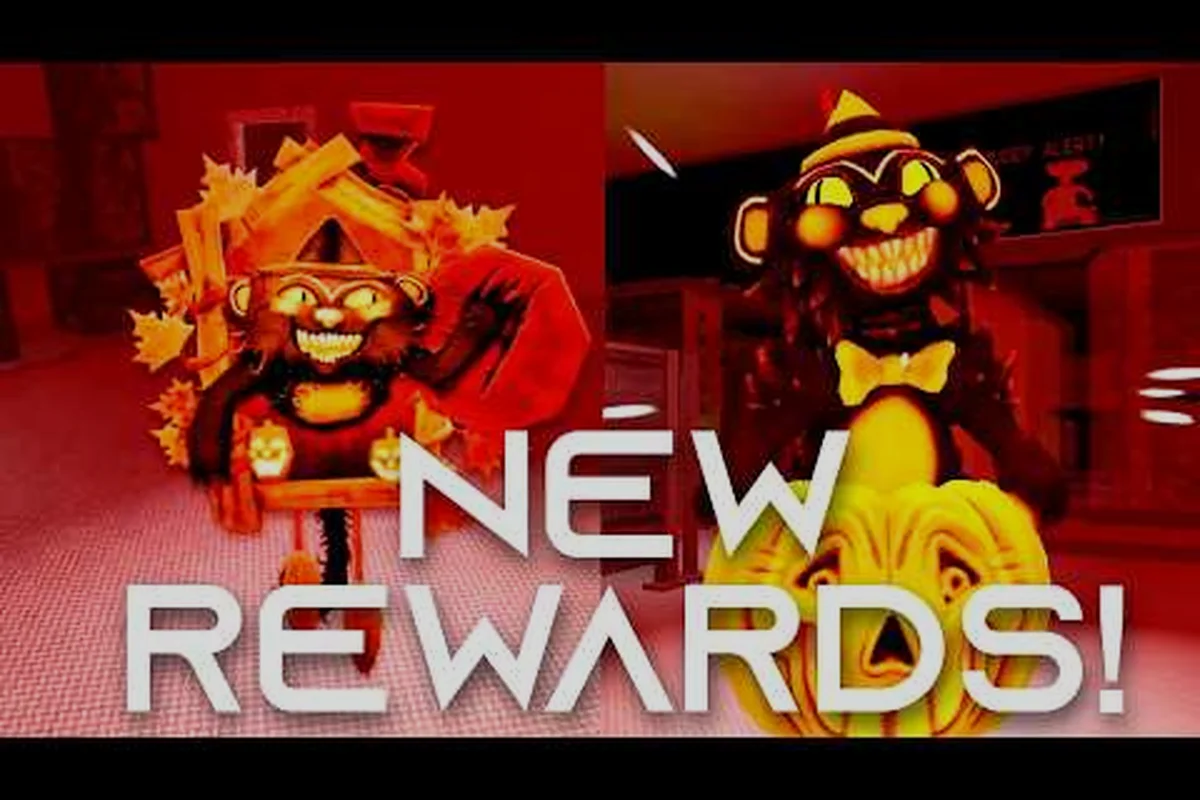
The supplied community data includes a BEAR Alpha community event rewards showcase. It is useful for seeing what players received and how event items appeared, but it should be treated as player-reported footage rather than an authoritative reward table. Confirm event names, availability windows, and unlock conditions against the live interface before treating them as permanent.
Event Readiness Checklist
| Check | Action | Reason |
|---|---|---|
| Event availability | Confirm the event is active now | Timed content may rotate |
| Required action | Read the current task description | Rewards can depend on completion type |
| Progress display | Locate the event tracker | It shows partial completion clearly |
| Inventory space | Clear avoidable clutter | Reward collection should not be interrupted |
| Match type | Select the permitted mode | Some events may restrict play style |
| Reward claim | Check menus after completion | Visual rewards and counters may be separate |
This part of the bear alpha community guide follows a simple verification rule: reward evidence must match the live version. Community videos can confirm that an event existed and show the interface at that time, but they cannot guarantee future availability. Before a limited session, compare the in-game panel with recent developer posts and current player reports.
Reward Checklist
- Re-read the event objective before the round ends.
- Confirm that every required action was completed.
- Open the event tracker and verify the counter.
- Claim rewards manually if the interface does not collect them.
- Record the event name and date for future reference.
- Compare claimed cosmetics with the collection display.
The returning-player guide is especially helpful for separating older rewards from currently available event items. Returning players may remember badges, skins, or challenge objectives from earlier sessions, so checking the current event panel prevents mistaken assumptions about missing progress.
Bear Alpha Community Guide: Last-Minute Corrections
Even experienced players can make small errors that cost a round. The value of this bear alpha wiki guide is not to replace every detailed guide; it is to provide a dependable final check when the situation becomes hectic. Use the corrections below before blaming controls, lag, or random spawns.
The distinction between confirmed interface information and player-reported behavior matters. Controls such as movement and flashlight use are observable, while exact detection ranges and chase thresholds can change without notice. The source data also warns that BEAR Alpha lacks an official wiki, so community documentation is useful but should never be presented as guaranteed developer documentation.
Error-to-Correction Table
| Mistake | Correction |
|---|---|
| Collecting evidence without checking the objective | Read the prompt before starting the route |
| Leaving the flashlight on during a chase | Turn it off when close and sightlines are unclear |
| Sprinting across open space | Confirm the destination is clear |
| Returning to the same hiding spot | Relocate after the Bear has seen you |
| Searching for extras after completion | Submit the report and preserve your exit |
| Treating an old event tip as current | Check the live event interface |
| Assuming every community video shows official balance | Compare the date, version, and difficulty |
These corrections turn the bear alpha reference guide into a habit checklist. The most important correction is to re-evaluate the objective after every major change. If you collect evidence while the Bear is close, the next safe step may be to hide rather than continue the quest. If the Bear loses interest, the best move may be to finish the task immediately before it returns.
Difficulty and Session Choice
The BEAR Alpha difficulty guide can help you select a mode that matches your current objective. If you are practicing controls and routes, a lower difficulty may provide more forgiving timing. If you are testing event progress or advanced survival, harder modes can add pressure without changing the basic decision process. Choose the session type based on what you need to learn:
-
Practice movement: focus on corners, controlled turns, and flashlight timing.
-
Learn objectives: complete short rounds and record the task changes.
-
Test chase routes: use repeatable paths and vary your escape choices.
-
Farm an event: follow only requirements shown by the current event panel.
-
Explore the map: accept a slower pace and keep a clear return route.
The final takeaway from this bear alpha cheat sheet is simple: read the task, collect the correct evidence, control the flashlight, and make the Bear’s pursuit less predictable. Use the tables as a quick reference, verify event details before committing time, and rely on the live game interface when community information conflicts with an update.
Frequently Asked Questions
What is the most important item in a bear alpha cheat sheet?
The most important item is the objective sequence: read the task, find the required evidence, complete the report, and leave. Controls help you survive that sequence, but collecting the wrong item or missing a delivery condition wastes a round. The checklist is most valuable when you are uncertain where the Bear is located.
Should the flashlight stay on during a BEAR Alpha chase?
Usually, no. Community reports advise using the flashlight briefly for nearby checks and turning it off when the Bear is close or line of sight is uncertain. This can reduce your visibility, although exact detection behavior may change by platform, difficulty, or patch. Treat this as a practical tactic rather than a guaranteed rule.
How do I find quest objectives in BEAR Alpha?
Begin with the current prompt in the interface, then identify the object, evidence type, or action it names. Search nearby locations before exploring the entire map. After collecting an item, verify whether the task needs another piece or can be submitted. The lobby and round guide can clarify how returning rounds affect this process.
Are community-reported BEAR Alpha rewards always available?
No. Event rewards and requirements may be temporary, and older videos can describe rewards that have rotated out. Confirm the event panel, its timer, and the claimed inventory item in the live game. Player videos are helpful for understanding presentation and past availability, but they are not guarantees for the current version.
What should I do when the Bear loses sight of me?
Stay quiet, move to a different area, and avoid returning immediately to your last position. Listen for movement, wait until the route appears clear, and resume the objective only when the risk is reasonable. If the Bear remains nearby, changing direction and using cover usually beats sprinting through a predictable route.