
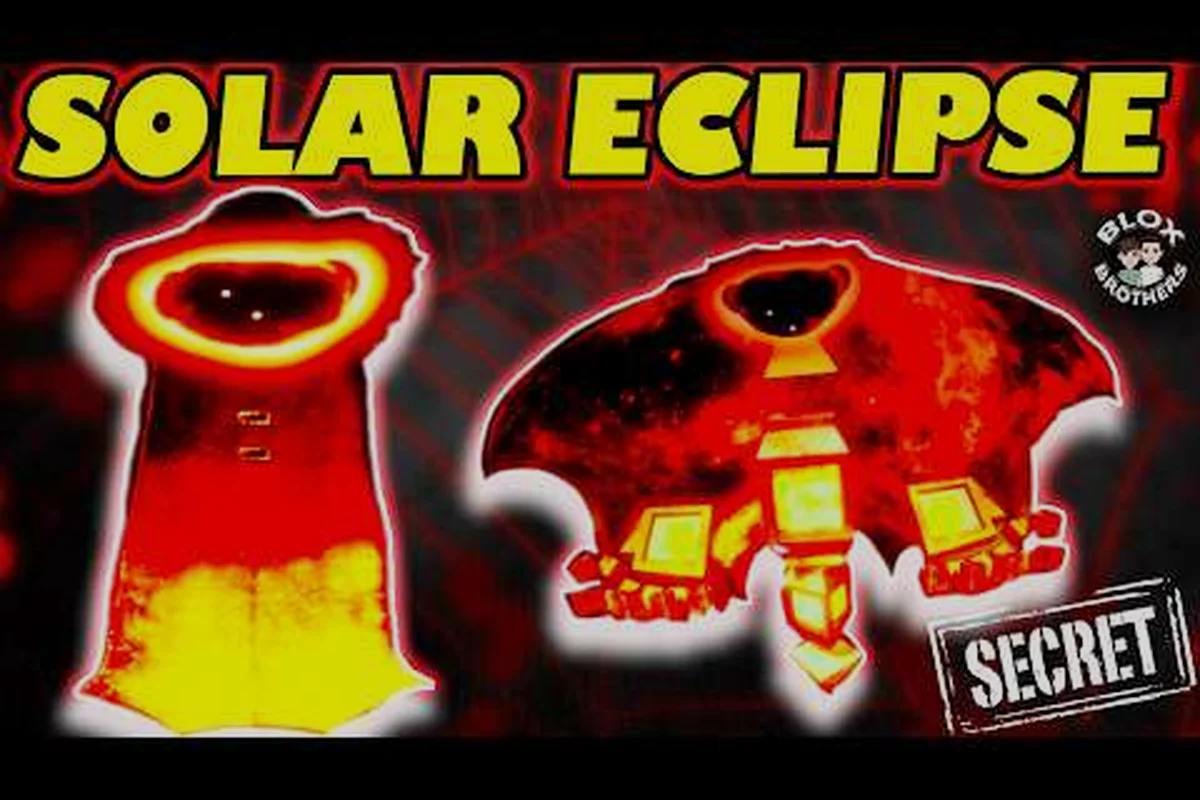
The bear alpha solar eclipse skin matters because it turns the familiar bear into one of BEAR Alpha’s most distinctive dark-themed cosmetics. This guide explains how players unlock it, compares its look with the Malbear-inspired design, and separates confirmed details from community reports.
Bear Alpha Solar Eclipse Skin Overview
The bear alpha solar eclipse skin is a secret-looking cosmetic built around a dark palette, a partially shadowed face, and an eclipse motif. Because BEAR Alpha lacks a comprehensive official wiki, most mechanical information about this unlock comes from player-created videos and community testing rather than a formal developer guide. Community videos such as the Bear Alpha Solar Eclipse Skin Showcase by Troublesome provide visual reference, while other player guides demonstrate the unlock route.
The skin’s appeal comes from the contrast between the normally friendly-looking bear and its shadowed treatment. Red or purple accents, a darkened body, and the impression of a celestial event make it feel more dramatic than a simple color swap. That is also why it frequently appears in discussions about the coolest skins, even though visual impact and unlock difficulty are separate considerations.
Current evidence is strongest for the Solar Eclipse skin’s appearance and character identity, but weaker for its exact trigger sequence. In the showcase linked above, the eclipse treatment appears as a cosmetic rather than a new bear form, while player guides describe event or challenge-related steps for unlocking it. Because no formal wiki confirms the requirements, account history, platform restrictions, or permanent availability, the table below separates higher-confidence facts from community-reported details that may still change with future BEAR Alpha updates.
| Feature | Current understanding | Confidence level |
|---|---|---|
| Cosmetic name | Solar Eclipse | High |
| Character | Default bear | High |
| Unlock classification | Reported as a secret skin | Medium |
| Unlock method | Event or challenge-related steps reported by players | Medium |
| Visual theme | Darkened body with eclipse-style accents | High |
| Availability | May vary by platform, account history, or version | Low to medium |
| Permanent availability | Not officially confirmed | Low |
Visual design and first impressions
The defining feature is Shadowed Face, where the eclipse effect changes the bear’s expression and makes it look less approachable without requiring a new character model. The exact color balance can appear different under different lighting, menus, or preview settings, so screenshots from one device may not be identical to those from another. This is a common limitation of community-documented cosmetics in an alpha game.
The design also reads clearly at a distance, which helps in character-selection screens and quick lobby comparisons. For players creating a bear alpha favorite skin shortlist, the Solar Eclipse appearance is an easy recommendation because it is more immediately recognizable than subtle palette changes. The silhouette remains unmistakably that of the original bear, however, so it does not provide the broad shape change associated with some premium or creator-designed cosmetics.
How it fits among the bear alpha coolest skins
Ranking cosmetics always involves a balance between design, rarity, animation, and usefulness. A tier list cannot be treated as official game data, but it can separate polished visual showcases from unlocks that feel uncertain, limited, or difficult to reproduce. On that basis, Solar Eclipse usually belongs near the upper end of the community’s dark-theme contenders.
| Community ranking factor | Solar Eclipse performance | Why it matters |
|---|---|---|
| Silhouette impact | Strong | Shadowed treatment remains visible in menus |
| Color identity | Strong | Dark theme and bright accent colors stand apart |
| Animation depth | Uncertain | Reports focus more on appearance than effects |
| Unlock accessibility | Mixed | Several players report a multi-step process |
| Cross-content consistency | Mixed | The broader cosmetic catalog changes frequently |
| Long-term rarity value | Speculative | No official retention policy is confirmed |
A wider catalog reference can help place it in context. The BEAR Alpha legacy skins overview is useful when comparing the Solar Eclipse with older or visually similar cosmetics, although it should not be treated as a source for confirmed Solar Eclipse requirements.
Solar Eclipse Unlock Steps and Requirements
Player guides present the Solar Eclipse unlock as a secret-skin challenge rather than a simple store purchase. The most consistent community route involves finding or activating an eclipse-related activity, completing its associated tasks, and then locating the correct reward interaction. Exact menus may shift because BEAR Alpha is still developing, so treat the sequence below as a practical current version rather than a permanent developer specification.
A short community tutorial, the Solar Eclipse skin walkthrough by BLOX BROTHERS, demonstrates the type of objective sequence players have reported using. Another upload, the 2026 Solar Eclipse guide by LilDippy, is useful for checking whether the route has changed. These are player-produced resources, so differences between recordings may reflect different update versions, account progress, or experimentation with skipped objectives.
Recommended unlock sequence
Begin by opening the bear alpha every skin or cosmetics interface available in your client and searching for Solar Eclipse. If the name appears, inspect its description and requirements before entering any activity. This first check can reveal whether your account has already completed a tracked objective or whether the skin is hidden behind a repeatable challenge.
| Stage | Action | What to check afterward |
|---|---|---|
| 1 | Search the cosmetics interface | Confirm whether Solar Eclipse is listed as hidden or secret |
| 2 | Enter the reported eclipse activity | Note the current objective and completion counter |
| 3 | Complete all required tasks | Save before a cutscene, server change, or restart |
| 4 | Claim the reward or interact with the reward marker | Check the inventory and skin selector |
| 5 | Equip and preview the cosmetic | Confirm the darkened bear model in a lobby |
| 6 | Record the completed stage | Note any variations for future events |
The critical instruction is to Complete Every Stage rather than assuming that merely reaching the event is sufficient. Community reports frequently mention players finding the correct activity but missing a later condition, especially when the interface does not clearly label the final step.
Troubleshooting missed requirements
If the skin does not appear after following a guide, first restart the client and revisit the cosmetics page. Some players report that the inventory refreshes more reliably after a server or client restart. Then compare your objective progress with the current video guide, because older uploads may still show a menu arrangement that no longer exists.
Another common issue is changing progress during the event. Avoid leaving after one visible task until the completion counter, reward prompt, or event summary confirms the full chain. The Eclipse Objective Sequence should be treated as one continuous task, and each checkpoint should be verified before moving forward.
| Symptom | Likely explanation | Practical response |
|---|---|---|
| No eclipse activity appears | Event may be unavailable on the platform or version | Check current community reports and update notes |
| Activity opens but no reward appears | A later stage may still be incomplete | Review the full task sequence before restarting |
| Skin appears locked | Account may not own or equip the base bear | Select the original bear and check ownership |
| Cosmetic shows without visual change | Preview may still show another character | Equip the default bear directly |
| Guide differs from your interface | Update may have moved an objective | Compare two recent player videos |
The BEAR Alpha skins list can serve as a quick reference for checking whether Solar Eclipse appears in your current catalog. It is also a sensible companion reference when comparing the unlock with other secret or event cosmetics.
Bear Alpha Malbear Skin Comparison and Design Details
The bear alpha malbear skin is often discussed alongside Solar Eclipse because Malbear is associated with a dark, imposing aesthetic that naturally complements eclipse imagery. Nevertheless, the two appearances should not be treated as interchangeable. Malbear is a separate character form, while Solar Eclipse appears to be a cosmetic treatment for the standard bear. Their silhouettes, character identity, and practical uses differ.
This distinction matters for players who want a consistent shadowy appearance without losing the original bear silhouette. Solar Eclipse offers a celestial shadow effect while retaining the familiar character. Malbear delivers a more complete character transformation, making it the stronger choice when the goal is a darker enemy-like presence rather than an event-themed variant.
| Comparison point | Solar Eclipse skin | Malbear skin |
|---|---|---|
| Base identity | Standard bear with a dark cosmetic | Malbear character appearance |
| Main theme | Solar eclipse and celestial shadow | Dark creature or corrupted-bear aesthetic |
| Silhouette change | Limited; recognizable as the bear | More substantial character transformation |
| Unlock information | Primarily community-documented | Availability may vary by release route and version |
| Best use | Event-themed display and recognizable dark bear | Dark character role or lore-focused display |
| Visual pairing | Natural fit for Malbear | Natural fit for Solar Eclipse |
How the Malbear comparison affects rarity judgment
A cosmetic that requires several objectives can feel rarer because it is difficult to obtain, but difficulty does not automatically equal official rarity. In the bear alpha skin tier list, it is better to separate Unlock Effort from Cosmetic Value. Solar Eclipse may score well on visual value and moderate on unlock effort, while its formal rarity tier remains unconfirmed unless the interface explicitly labels it.
Players often call it a secret skin because that is how it is described in community guides. Secret generally signals hidden or nonstandard availability, not necessarily an official rarity category. The distinction prevents misleading claims when the catalog continues to grow.
Pairing Solar Eclipse with other dark cosmetics
Solar Eclipse works well beside restrained monochrome cosmetics because its bright accent details remain the focal point. Pairing it with multiple loud effects can reduce readability, especially in busy menus. A bear alpha favorite skin combination can therefore use one strongly themed cosmetic, one supporting character, and otherwise neutral gear rather than stacking several elaborate variations.
For inspiration on older and recognizable choices, the BEAR Alpha deluxe and event skins guide covers related categories in the catalog. Compare visual language rather than assuming that a higher-priced or more prominent cosmetic always belongs in a higher tier.
Solar Eclipse in the Bear Alpha Skin Tier List
The bear alpha skin tier list is a community judgment tool, not an official ranked mode. A practical ranking should evaluate the Solar Eclipse on design, visual recognition, animation evidence, and ease of reproduction. That framework keeps the ranking from confusing a difficult unlock with a universally superior cosmetic.
For this guide, S Tier means excellent visual impact and a memorable identity, A Tier means strong design with at least one limitation, B Tier means solid but comparable to many alternatives, and C Tier means weak visual differentiation or a rough unlock experience. The labels describe placement within a broad selection, not every cosmetic currently available.
Recommended cosmetic rating
| Rank | Tier | Main strength | Main limitation |
|---|---|---|---|
| 1 | S | Distinctive eclipse identity and strong menu readability | Fewer confirmed animation details |
| 2 | A | Clear event theme and memorable shadow effect | Unlock route may be confusing |
| 3 | A | Retains the familiar bear silhouette | Less transformative than Malbear |
| 4 | B | Cohesive dark color palette | Similar dark motifs may exist |
| 5 | C | Functional for event completion | Visual impact depends on lighting |
This does not make Solar Eclipse automatically better than a premium cosmetic with elaborate effects. A tier list rewards presentation, and different players value transformation, animation, rarity, and simplicity differently. The most defensible conclusion is that Solar Eclipse is a high-tier visual choice, especially for players who enjoy dark celestial themes.
How it compares with creator-designed and legacy cosmetics
A creator-designed bear can change proportions, accessories, and overall silhouette, often producing a more dramatic reveal. Solar Eclipse instead relies on atmosphere, color, and facial treatment. Legacy cosmetics may appeal to players who value the history of their account or the atmosphere of an older version, while Solar Eclipse offers a clearer seasonal-event concept.
| Player priority | Stronger choice | Why |
|---|---|---|
| Best event-themed look | Solar Eclipse | Its name, darkness, and accents form one clear concept |
| Most dramatic silhouette | Creator-designed bear | Accessories and proportions can reshape the model |
| Newest visual trend | Solar Eclipse | Community coverage shows active player interest |
| Historical account display | Legacy cosmetic | Older catalog items may have greater continuity |
| Dark character identity | Malbear skin | It changes the character rather than only its cosmetic treatment |
Community evidence and limitations
Several independent uploads describe Solar Eclipse as a secret cosmetic and show the event-related progression, which increases confidence that the unlock route is not fabricated. However, the same absence of a comprehensive official wiki means that numerical claims such as exact rarity percentages, drop rates, or permanent availability would be unreliable. No such numbers should be invented merely to make the tier list appear more precise.
Player-recorded evidence also needs careful interpretation. A video can prove that a route worked for the uploader’s account at that time, but it cannot guarantee identical behavior for every platform. For example, one guide may use an activity available only during a particular window, while another demonstrates a later adaptation. The Solar Eclipse guide by spencerkesner is useful as another visual cross-check because it focuses specifically on obtaining the skin in BEAR Alpha.
Obtaining and Displaying the Solar Eclipse Skin
After a successful unlock, most of the remaining work is presentation. The eclipse treatment is designed to read well in the character-selection interface, but a polished display still depends on lighting, surrounding cosmetics, and whether the player keeps the base character equipped. Saving immediately after the reward confirmation prevents a rare activation from being lost during an unexpected client change.
Post-Event Sequence for the Cosmetic Unlock
Use this sequence after completing the event or challenge, because the Bear Alpha Solar Eclipse skin may unlock before its cosmetics entry finishes updating. Completing the objective and receiving a reward message do not always guarantee that the skin is immediately visible in the inventory. Keep the client open long enough for the Eclipse Reward Check to register, then restart the game if the Solar Eclipse cosmetic is missing. This separation helps distinguish an unfinished event objective from an inventory refresh delay, preventing you from prematurely abandoning a limited-time unlock.
- Confirm the reward message or unlock notification
- Open the cosmetics or skin inventory
- Search for Solar Eclipse
- Equip it on the default bear
- Preview the bear in a bright lobby
- Preview the bear in a dark environment
- Record whether any animation or particle effect appears
- Close and reopen the interface to verify it remains unlocked
The Eclipse Reward Check is especially important when the event ends. Restarting the client after a completed objective can reveal whether the inventory was waiting for a refresh, but do not abandon the event before confirming that every objective has registered.
Matching the bear alpha favorite skin setup
Solar Eclipse works best when the rest of the loadout supports its dark theme without copying the same effect. Simple neutral gear keeps the silhouette readable, while a restrained complementary accent can make the eclipse colors feel more intentional. The goal is not maximum decoration; it is a coherent visual hierarchy.
| Loadout style | Recommended approach | Expected result |
|---|---|---|
| Clean showcase | Solar Eclipse with default or neutral gear | Clear silhouette and reliable color visibility |
| Dark character set | Malbear skin with subdued accessories | Strong dark presentation |
| Event collection | Solar Eclipse with other event cosmetics | Cohesive seasonal display |
| Layered showcase | Eclipse plus one accent item | More detail without visual clutter |
| Competitive focus | Simple gear and Solar Eclipse as the main cosmetic | Fewer distractions from the bear silhouette |
Documenting your own collection
A personal screenshot log helps when catalogs change. Record the date, game version if visible, the bear skin, every equipped item, and whether you obtained the cosmetic through the event or another route. These details make later comparisons more reliable, especially when discussing the bear alpha 287 skins count referenced by the community.
That figure should be treated cautiously. The phrase “287 skins” may refer to a community catalog count, a particular update, or a broad estimate rather than a permanent total. New event, secret, legacy, and user-generated cosmetics can alter the number. If your collection differs, the difference does not necessarily mean a missing cosmetic because count boundaries may be interpreted differently across community lists.
Solar Eclipse Availability, Updates, and Collection Strategy
Availability is the least settled part of the Solar Eclipse story. BEAR Alpha’s catalog includes event, deluxe, legacy, secret, and user-generated cosmetics, and players encounter these categories under different labels. The Solar Eclipse route appears tied to an activity or challenge, but community reports do not establish whether it returns permanently, rotates with an event, or remains available through a hidden progression track.
This uncertainty changes how players should plan. If your account already owns it, preserve proof of acquisition by recording the date and current catalog state. If you do not own it, check recent player guides before joining the relevant activity, because a renamed objective or extra stage may cause an outdated route to fail. Avoid assuming that a missed window means permanent loss unless the interface explicitly says so.
Version-change indicators
Several signs can reveal that a guide has become dated. Menu labels may move, counters may reset, and event screens may now require a different character or activity. A solid comparison includes the video publication date, visible interface, stage count, and final reward confirmation.
| Change indicator | What it suggests | Best action |
|---|---|---|
| New objective counter | Progression may have been expanded | Follow the newest complete guide |
| Renamed event | The old search term may be misleading | Search the new activity name |
| Different reward screen | Claiming may occur elsewhere | Check the current inventory flow |
| Missing preview effect | Lighting or client version may differ | Compare another recording |
| New category label | Classification may have changed | Trust the current interface label |
The BEAR Alpha UGC and rare cosmetics overview offers context for creator-made and update-era cosmetics, helping you distinguish a rotating event skin from a permanently catalogued item. This distinction matters when building a long-term collection rather than simply completing one current challenge.
Prioritizing your collection
Solar Eclipse is a strong priority for players focused on atmosphere, seasonal cosmetics, or a dark bear theme. It is less essential for completionists whose main goal is owning every catalog entry, because the secret or limited status can make it a checklist exception. The bear alpha every skin goal should still include it, but progress tracking should record the objective rather than relying on a single total.
A useful completion system has four columns: Cosmetic, Status, Method, and Evidence. For a bear alpha solar eclipse skin entry, list “Solar Eclipse” as the cosmetic, then record whether it is Locked, earned, or archived. Add the acquisition method—currently described as an event challenge—and save the date with a screenshot as evidence. This structure distinguishes an unclaimed target from an owned skin, avoids relying on a single catalog total, and makes later comparisons across the bear alpha every skin collection more reliable when limited cosmetics rotate or return.
| Record | Example | Why it helps |
|---|---|---|
| Cosmetic | Solar Eclipse | Identifies the exact target |
| Status | Locked, earned, or archived | Shows current progress |
| Method | Event challenge | Prevents confusion when older routes expire |
| Evidence | Date and screenshot | Supports future catalog comparisons |
The Collector's Evidence Note is more valuable than a raw total because cosmetics can rotate, return, or be categorized differently. For example, record the Solar Eclipse challenge completion with its event date and screenshot, then update the note if the skin is later marked earned or archived. This preserves proof of the bear alpha solar eclipse skin objective while preventing a changing community count from making your bear alpha every skin tracker falsely appear incomplete.
Frequently Asked Questions
Is Solar Eclipse a secret skin in BEAR Alpha?
Community guides generally classify Solar Eclipse as a secret skin because it is tied to hidden or event-related progression rather than a standard store purchase. The exact terminology can vary by version, so the live cosmetics interface remains the most reliable source for its current label. Its appearance and shadowed treatment are well documented even though the unlock requirements lack a formal official wiki entry.
Is the Bear Alpha Solar Eclipse skin permanent?
Permanent availability has not been officially confirmed. The skin appears connected to an eclipse-themed activity or challenge, which suggests players should check current event information before assuming it will return. Accounts that obtained it early may be able to preserve screenshots and unlock dates, while players who missed it should rely on recent community reports for the latest availability window.
How does Solar Eclipse compare with the Bear Alpha Malbear skin?
Solar Eclipse keeps the recognizable standard bear silhouette and focuses on a dark celestial effect, whereas the Malbear skin presents a different, more intimidating character form. Solar Eclipse is therefore better for an event-themed dark-bear display, while Malbear offers the stronger character transformation. The visual comparison in BEAR Alpha skin tier lists also tends to rank Solar Eclipse highly for readability and recognition.
Does BEAR Alpha have exactly 287 skins?
The reported bear alpha 287 skins figure is a community-era count, not a guaranteed permanent total. New event, secret, legacy, deluxe, and user-generated cosmetics can change the number, while different catalogs may classify borderline items differently. Treat 287 as a dated reference point and compare specific cosmetic names when checking collection completion.
What should I do if Solar Eclipse is missing after the event?
Restart the client, revisit the cosmetics inventory, and search for the cosmetic name before trying the event again. Confirm that every objective registered, because reaching the correct activity may not complete the full challenge. Comparing two recent community guides is useful because menu changes can make older instructions inaccurate, and the active version may have moved the reward claim.