
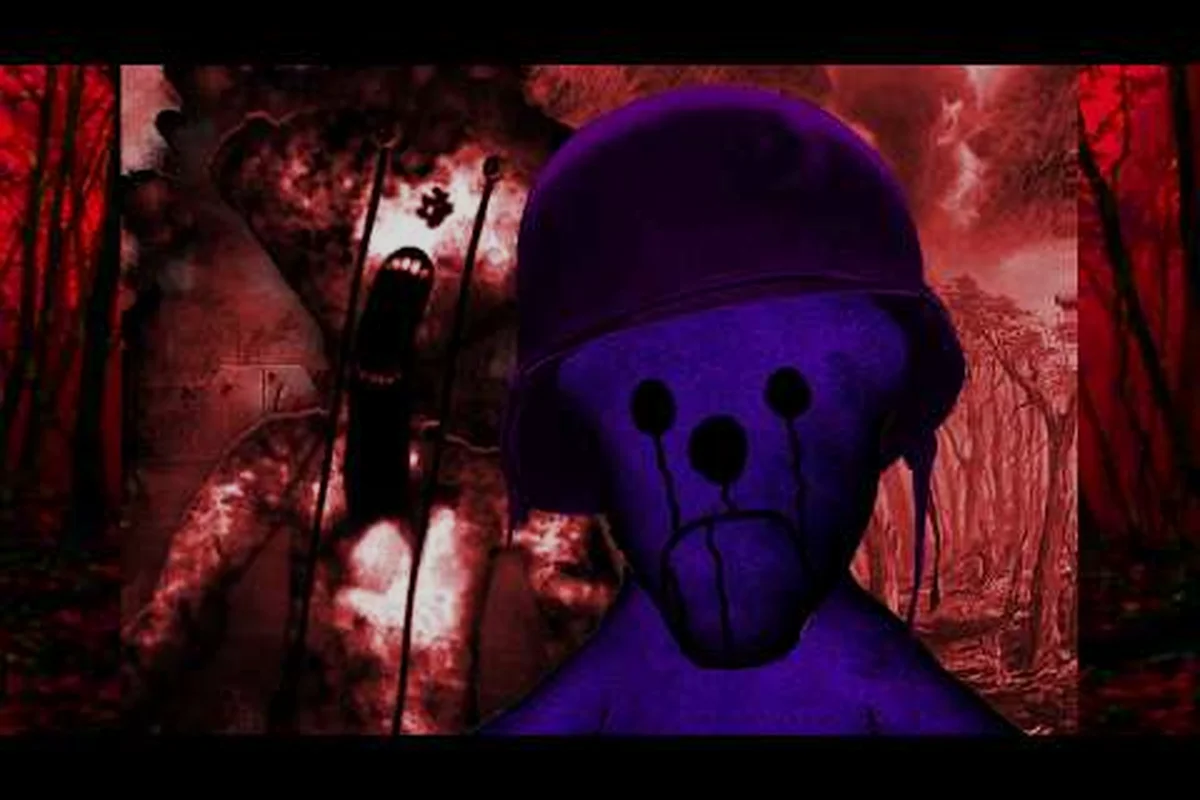
BEAR alpha new quests matter because hidden objectives can turn routine exploration into meaningful rewards. Treasure maps, dig spots, and quest unlock steps can point toward rare materials or progression items, so checking each clue before leaving an area may prevent a missed reward. For example, a treasure map can reveal a dig location, while completing its associated task can unlock the next quest stage rather than simply granting an isolated reward. Tracking quest progress also helps separate unfinished objectives from optional secrets and makes it easier to revisit the correct clue location later.
BEAR Alpha New Quests Overview
The latest BEAR alpha new quests add several layers to exploration: treasure objectives, event lines, hidden goals, and unlock-dependent tasks. Community videos confirm that treasure quests and the Hollow quest line exist, although BEAR (Alpha) has no official wiki, so exact rewards and requirements remain player-reported and may change.
That uncertainty makes careful tracking essential. The interface may show partial objectives, maps can point toward uncertain dig locations, and some progression steps depend on discoveries made elsewhere. Understanding the quest families helps players separate dependable progress markers from rumors.
| Quest group | Confirmed activity | Main collection target | Tracking concern |
|---|---|---|---|
| Treasure quests | Player-reported treasure hunts | Maps and buried rewards | Dig locations may be approximate |
| The Hollow | Player-reported quest line | Hidden objectives and progression | Requirements can depend on prior tasks |
| Event objectives | Seasonal content reported by players | Limited objectives and event rewards | Availability may be temporary |
| Unlock quests | Unlock-dependent activities | Required discoveries or items | Task order can affect access |
What Players Can Confirm
Player reports describe multiple objective types rather than a single linear campaign. The Hollow appears in several community recordings, including an update overview and a focused Section 2 tutorial. These uploads support the existence of the quest line, but they do not establish a complete official checklist.
Treat the following distinctions carefully: an upload can verify that a BEAR Alpha objective was visible, but it cannot prove that the same treasure map, dig spot, reward, or prerequisite chain remains intact. For example, footage documenting The Hollow may establish where an objective appeared during that alpha build without confirming its current unlock order or treasure-map destination. Verification therefore requires comparing the recording’s title, update context, visible quest labels, and surrounding objective flow rather than treating any single community clip as a definitive manifest of the newest quests.
-
Confirmed themes: treasure quests, The Hollow quest line, and event objectives have appeared in player uploads.
-
Community details: claimed rewards, map destinations, and prerequisite steps should be treated as guidance, not permanent developer specifications.
-
Version sensitivity: alpha updates can alter menus, rewards, or availability, so old routes may become outdated.
For a broader view of individual treasure activities, the BEAR Alpha treasure quest guide can serve as a companion while the sections below focus on organizing the newest content. Read it alongside this overview when cross-checking a treasure map, dig spot, claimed reward, or event objective. This matters because an alpha update can change quest availability or progression without leaving the original recording intact, so a documented destination is best treated as a version-specific lead rather than a guaranteed current unlock route.
BEAR Alpha Treasure Maps and Dig Spots
A bear alpha treasure map works best as a tracking tool rather than a guarantee that every marked coordinate is exact. Community guides commonly separate the map-reading stage from the digging stage, allowing players to preserve a route even when the final destination requires experimentation.
The practical objective is straightforward: identify the map, follow its clues, inspect plausible terrain, and dig at the point suggested by the map. However, reported discrepancies mean players should compare nearby landmarks rather than blindly dig where a marker points.
| Map clue type | Best first action | Likely obstacle | Verification approach |
|---|---|---|---|
| Landmark reference | Match the named landmark | Similar structures | Compare terrain and sightlines |
| Directional hint | Follow the indicated direction | Ambiguous orientation | Use visible landmarks as anchors |
| Area-only clue | Search the specified region | Large search radius | Record player-tested locations |
| Marked dig point | Reach and dig the marked site | Slight coordinate offset | Check nearby ground |
| Event map | Begin before the event ends | Time pressure | Prioritize the nearest clue |
Building a Reliable Route
Begin by taking a screenshot of the entire map rather than only the final marker. Orientation changes when the interface rotates, and a partial view can make a distant landmark look like the intended destination. Mark the starting area, identify the strongest landmark, and then estimate the map’s direction of travel.
After arriving, look for environmental alignment: compare the landmark’s position and the surrounding terrain with the full map screenshot. If the marker sits near a cliff edge, tree cluster, or building corner, use those fixed features to narrow the search before starting a dig spot check. Environmental alignment matters because the treasure map marker can point to a nearby feature rather than the exact interaction point, especially in BEAR ALPHA’s New Quests.
-
Structure shape: compare rooflines, walls, trees, or rock formations with the map image.
-
Elevation: slopes and ridges can make distances misleading, especially when the map compresses the landscape.
-
Visibility: a clue described from a specific overlook may not match the same angle from ground level.
-
Interaction range: digging may require standing within a tight radius, so players should rotate around the indicated point.
Treat the treasure map marker as a search zone, not a guaranteed dig spot. For example, if it lands beside a tree cluster, test the space immediately around the strongest trees, then step back to check whether the marker’s position matches the cliff edge or building corner shown in your screenshot. Record one confirmed dig location separately from approximate guesses, so an unsuccessful check in a BEAR ALPHA New Quest does not erase progress or force you to repeat the entire route.
BEAR Alpha Unlock Quest and Progress Tracking
The bear alpha unlock quest system appears tied to exploration, completed objectives, and access to later content. Because community documentation is incomplete, the safest method is to record each state change instead of assuming that every task begins automatically after the previous one.
A useful tracker records each quest name, visible objective, status, and prerequisite clue, including the exact area, NPC, or item that triggered the task. This matters because a Bear Alpha quest marker can disappear after a dig spot is completed, while a later treasure-map objective only becomes visible after revisiting a specific location or completing an earlier reward step. Logging those state changes preserves the unlock sequence and prevents a completed objective from being mistaken for a skipped one.
| Progress state | What it usually means | Best action | Do not assume |
|---|---|---|---|
| Not visible | Quest may be locked, inactive, or finished | Review prior tasks and relevant areas | That it was skipped |
| Objective shown | Quest is active | Follow the exact task wording | That rewards arrive instantly |
| Step completed | One stage is saved | Check for a follow-up objective | That the entire line ended |
| Rewards pending | Completion may await collection | Revisit the reward panel or giver | That the reward is automatic |
| Unlock changed | New content may now be available | Revisit locked objectives and maps | That every old route still works |
Maintaining Quest Progress
Use three layers of notes. The first records completed treasure searches and confirmed dig sites. The second tracks active Hollow objectives, including the precise task text. The third records unlock-dependent discoveries, such as items, passages, or interactions that may trigger another stage.
Players should update notes after every meaningful event, including each treasure search, confirmed dig site, Hollow objective, and unlock-dependent discovery. A practical example is to record a newly revealed dig spot immediately, then note whether its treasure map has been acquired and whether the destination is confirmed; this prevents an inactive dig site from being mistaken for a completed objective. Updating the same entry when a reward is claimed also keeps BEAR Alpha quest progress accurate and makes stage unlocks easier to resume.
-
Checkpoint completion: note the completed step and any immediate reward.
-
Map acquisition: save the image and mark whether the destination has been confirmed.
-
Area access change: revisit previously locked exits and objectives.
-
Event objective update: remove expired tasks so they do not distort completion counts.
When older personal notes conflict with the current UI, trust the current quest panel over an outdated guide. For a wider reset-and-catchup process, the returning-player guide to BEAR Alpha can help establish a clean checklist after a patch.
Hidden Progression Behind Seemingly Ordinary Actions
Many bear alpha quest secrets involve ordinary exploration actions that the quest log does not fully explain. Community experience suggests checking side paths, unusual objects, and previously inaccessible areas rather than assuming every secret requires a rare drop. The useful distinction is between a hidden objective and a secret that merely extends a visible task.
A player-reported video by 4 Scorched Statues focuses on a Nightmare Skin Section 2 portion of The Hollow, illustrating how quest documentation can be divided into specific sections. That kind of targeted guide is often more useful than a broad claim that every corner contains a secret.
| Hidden-objective pattern | Where to check first | Common clue | Confirmation standard |
|---|---|---|---|
| Unusual prop | Side rooms, ledges, enclosed spaces | Prop differs from surroundings | Interaction produces a reaction |
| Alternate route | Behind structures or off the main trail | Map route ends near a wall | Passage becomes usable |
| Environmental landmark | Distant ridges, towers, distinctive trees | Map references a visible shape | Landmark matches the direction |
| Sequential interaction | Objects near a quest area | Several prompts appear together | Quest step visibly updates |
| Timing condition | Event zones or marked sites | Objective mentions a window | Progress registers during the event |
Testing a Suspected Secret
Use a repeatable three-step method before recording a discovery as fact. First, reproduce the action from the intended starting area. Second, note whether the prompt, sound, animation, or journal changes. Third, return afterward to see whether a lasting unlock or reward appears.
This method avoids confusing visual coincidences with functional secrets. A strange rock formation may be decorative, while an interactable object may trigger a hollow-themed event. A route that looks passable may still be blocked, and a digging spot may require the player to approach from a specific angle.
Because Bear Alpha is still in alpha, secret behavior may change without notice, so treat suspected discoveries as provisional until the game gives an unmistakable response. A verified secret should trigger at least one persistent signal, such as a journal update, unlock prompt, treasure map change, quest advancement, or reward notification; a one-time sound or animation may only indicate that an interactable was activated. Log uncertain dig spots and hollow-themed events separately from completed Bear Alpha quest objectives to keep the quest progress record accurate across patches.
Recording What a Quest Actually Grants
A reliable bear alpha quest rewards list depends on recording what the game actually grants, because alpha content and event availability can change. Rewards may include quest items, unlock access, progression resources, or event-related items, but community reports do not provide a permanent, officially published reward table.
Players can still build a dependable bear alpha quest rewards list by separating four categories: guaranteed completion rewards, event-only rewards, objective items, and rewards whose exact contents remain uncertain. For example, finishing a displayed task confirms that the quest registered, while picking up a treasure map only confirms the item acquisition and does not guarantee a specific cosmetic or resource. Event objectives should be checked against the active seasonal window, and unconfirmed drop claims should remain provisional until reproduced in-game; this prevents a claimed reward from being mistaken for a universal drop.
| Reward category | How it is obtained | Why it matters | Verification level |
|---|---|---|---|
| Completion reward | Finishing the displayed task | Confirms the quest was registered | High when observed in-game |
| Quest item | Picking up or interacting with an item | May support a later unlock | High for the acquisition itself |
| Event reward | Completing a seasonal objective | Tied to limited availability | Medium to high |
| Unlock benefit | Reaching a new activity or area | Creates access to later content | High when the menu changes |
| Cosmetic or cosmetic-related item | Event or milestone completion | Supports collection goals | Medium until verified |
| Unconfirmed drop | Community claim without a repeatable test | May be outdated | Low; verify before planning around it |
Evaluating Event Value
Event objectives are most efficient when ranked by time cost. A nearby task with several substeps may provide better value than a distant search that requires travel without a clear reward. Check the event timer before beginning, group objectives by region, and finish the closest task chain first.
The quest rewards reference for BEAR Alpha is useful for organizing verified rewards separately from event-only claims. Maintain a date beside each entry, because a reward shown during one alpha update may disappear or be replaced after a later patch.
Comparing Reward Reliability
A reward is reliable when the player receives it directly after completing the stated action. It is moderately reliable when multiple recent player reports mention it in the same event. It is unreliable when only a vague guide claims that it exists without explaining how it is obtained.
Use that reliability scale when planning future runs. Do not spend scarce travel time farming an unconfirmed reward when an active objective offers a clear completion grant. Likewise, save exploration for objectives that unlock permanent access or advance a visible quest chain.
BEAR Alpha Quest Completion Strategy
Efficient completion comes from organizing the bear alpha new quests around dependencies, travel, and evidence. Start with visible tasks, resolve unlock changes, and only then focus on uncertain treasure coordinates. This order minimizes repeated exploration and reduces the chance that an expired event objective consumes time that could have gone toward permanent progression.
| Priority | Quest type | Why it comes first | Completion signal |
|---|---|---|---|
| 1 | Visible active objective | The interface provides the clearest target | Objective tick or prompt |
| 2 | Unlock prerequisite | It may open later quests | New panel, item, or route |
| 3 | Event objective | Rewards may have a limited window | Event progress or expiry notice |
| 4 | Confirmed treasure map | It combines exploration with a known goal | Successful dig or collected reward |
| 5 | Unverified secret | It requires more testing and travel | Observable interaction |
| 6 | Old guide rumor | It may describe a removed alpha feature | Current in-game confirmation |
A Repeatable Run Plan
Start by opening the quest panel and copying every active objective into a checklist. Group tasks by map area, not by the order shown in the menu, because the display order may not reflect the best travel route. Then mark which objectives depend on an unlock, item, or event window.
During exploration, use the following process: run one objective at a time and record its trigger, prerequisites, and completion signal. For example, if a bear alpha treasure map points to a dig spot, note the clue wording, the search area, and whether the reward appears after digging or only after the objective updates. This separates hidden interaction triggers from visible quest progress, helping you distinguish a missed unlock condition from a task that is already complete but waiting to refresh.
-
Capture: record maps, quest text, and unusual interactions.
-
Compare: compare your current observations with recent community reports.
-
Test: reproduce suspicious spots using the same approach as the original report.
-
Confirm: wait for a visible objective update or received reward.
-
Archive: note the confirmed result and the version date.
This method turns the bear alpha unlock quest process into a manageable checklist rather than a chain of disconnected errands. It also keeps event tasks separate from permanent progress, making it easier to resume after an update or a break.
Handling Patch Changes
After an alpha update, compare the current quest panel with your notes before changing routes. Look for revised wording, removed objectives, new map fragments, and changed event windows. A task that no longer appears may have been completed, replaced, or temporarily disabled.
Do not delete old evidence. Add a status line instead: confirmed, needs recheck, expired, or replaced. This small step prevents old guesses from being repeated and turns community information into a history that remains useful even when the live game changes.
BEAR Alpha New Quests Evidence and Verification
The best available information about bear alpha new quests comes from a mix of verified uploads and community observations. A 2026 Halloween update overview by BLOX BROTHERS is labeled as full update content, while OmEn_MAL’s upload specifically identifies new quests and The Hollow. These videos are useful evidence that the content existed, but they remain player-created sources rather than an official wiki.
For example, this BEAR Alpha Hollow quest update video by OmEn_MAL reportedly covers new quest content, treasure quests, and The Hollow. A separate Section 2 Nightmare Skin quest tutorial by 4 Scorched Statues provides more focused evidence about one quest segment.
| Source type | What it supports | What it does not prove | Best use |
|---|---|---|---|
| Developer forum discussion | Evidence of a BEAR advertisement sighting | No quest mechanics | Development context only |
| Player update overview | Event and update content | Exact official reward values | Discover likely objectives |
| Focused quest tutorial | A specific quest section | Unchanged behavior in every patch | Learn a repeatable route |
| In-game observation | Current mechanics and rewards | What older versions contained | Establish current truth |
What Community Evidence Can and Cannot Do
Community sources are strongest for observations: a particular map exists, an event window opened, or a quest stage responded to an interaction. They are weakest for universal claims about every account, route, or server state. Alpha testing may expose temporary behavior, and a guide published before a patch can become outdated without warning.
The verified Roblox DevForum entry on BEAR Alpha advertisement sightings supports the game’s promotion, but it does not document quest objectives or rewards. Treat it as development context rather than quest authority.
For every important claim, use a simple evidence ladder. First, confirm the objective in the live game. Second, compare it with a recent community upload. Third, record the date and version context. If the sources disagree, prioritize the current game and preserve the discrepancy in your notes.
Maintaining an Accurate Quest Log
A useful Bear Alpha quest log needs more than a checkbox: record the quest’s exact objective wording, map location, unlock prerequisites, expected response, confirmed result, and completion date. For a treasure map or dig spot, note the clue text, terrain marker, and whether excavation reveals a reward panel or only a repeatable decoy. Save a screenshot when the map, reward list, or quest prompt may disappear; label it with the quest name and timestamp so an alpha patch can be compared against the original quest progress state.
This level of detail makes the bear alpha quest secrets section more accurate over time. It also allows a returning player to distinguish a missed objective from a removed feature, and it gives experienced players a concise record to compare before the next alpha patch.
Frequently Asked Questions
Where do BEAR Alpha treasure maps lead?
BEAR Alpha treasure maps lead toward player-reported treasure objectives, but the final dig location may not align perfectly with the marker. Compare visible landmarks, approach the marked area from multiple angles, and dig slightly around the indicated point. A clear collection prompt or quest update confirms success more reliably than the map marker alone.
Can players complete The Hollow quest during the alpha?
Yes, community videos confirm that The Hollow quest line is accessible in BEAR (Alpha), including a focused Nightmare Skin Section 2 route. Its exact requirements can vary as updates change the content, so players should follow the current quest wording and verify each stage in the live game rather than relying on an old completion order.
How should players track uncertain dig spots?
Record the source, date, map image, nearby landmarks, and whether the dig produced a visible response. Separate confirmed discoveries from community suggestions, because an alpha patch may move an object, alter terrain, or change interaction rules. Revisit promising areas after an update rather than treating every reported bear alpha dig spot as permanently verified.
What should players do when a quest does not appear?
Check whether a previous objective, collectible, event window, or area unlock must be completed first. Review nearby locked routes, inspect the active panel for changed wording, and repeat the action that may have triggered the unlock. If the quest remains invisible after that, record the game version and current quest state before following older advice.
Are treasure quest rewards guaranteed to remain available?
No long-term guarantee can be confirmed because BEAR (Alpha) content may change during development. Record the reward when it is actually granted, note the event or patch date, and keep event-only items separate from permanent progression. That approach produces a more trustworthy bear alpha quest rewards list without assuming every current reward will remain obtainable.